Background Swaps That Don't Look Pasted On
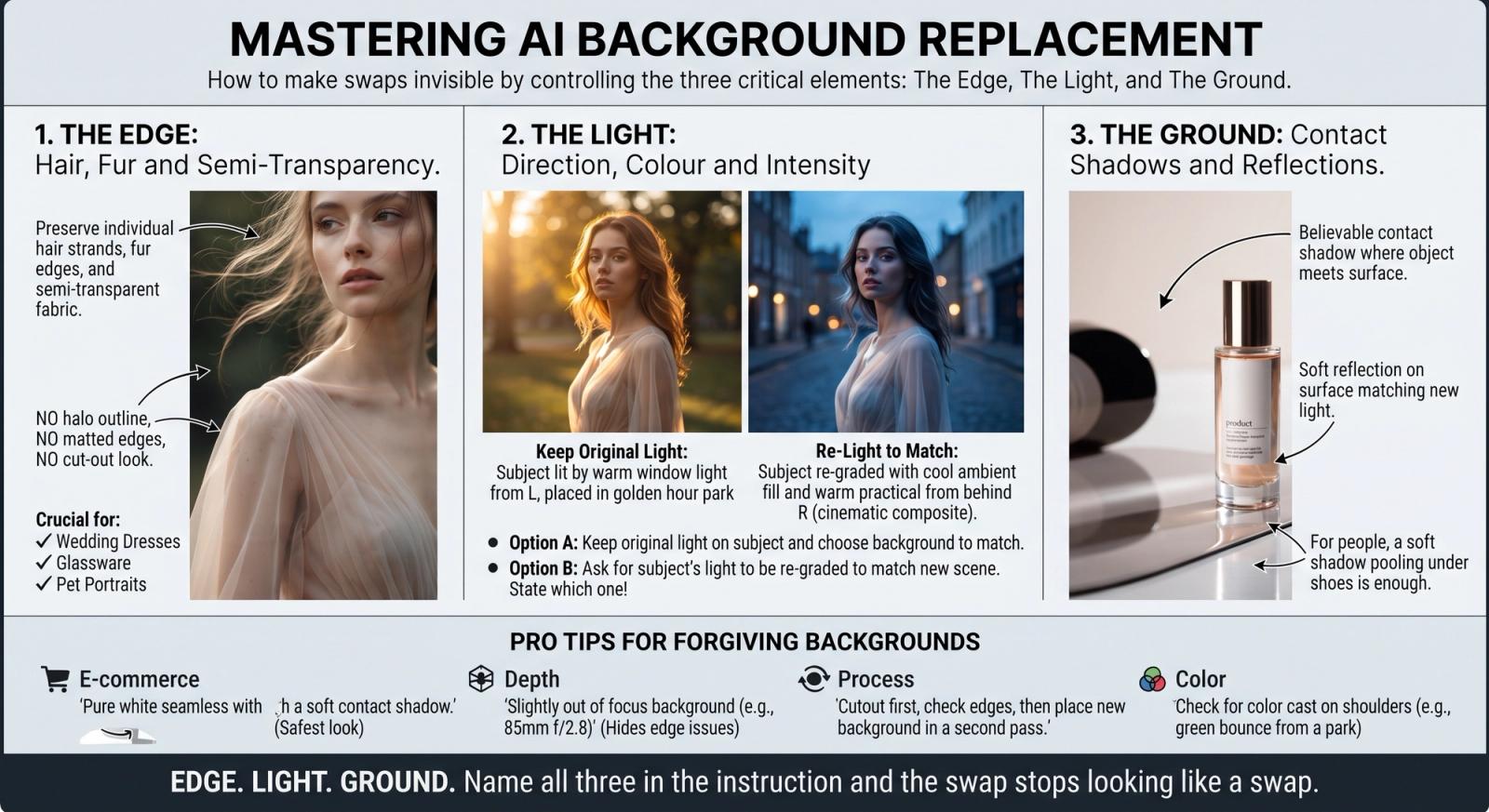
Background replacement is the most requested AI edit and the easiest to get wrong, because the viewer's eye is extremely good at spotting a subject that was never really in the scene. Three things give it away every time: the edge, the light and the ground. Solve those three and a swap becomes invisible.
The Edge: Hair, Fur and Semi-Transparency
A hard cutout around flyaway hair reads as scissors. Ask for the difficult parts by name — 'preserve individual hair strands, fur edges and any semi-transparent fabric' — and forbid the artefact: 'no halo outline, no matted edges, no cut-out look'. Wedding dresses, glassware and pet portraits all need the same clause for the same reason.
The Light: Direction, Colour and Intensity
If the original photo was lit from the left by warm window light and you drop the subject into a cool blue evening street, the mismatch is instant. You have two honest options: keep the original lighting on the subject and pick a background that suits it, or ask for the subject's light to be re-graded to match the new scene. State which one you want, because the model will otherwise pick at random.
Keep the Original Light: Replace the background of the uploaded image with a softly blurred green park at golden hour. Preserve the subject exactly: identity, pose, proportions, clothing colour, hair edges and the existing warm lighting direction from camera left. Match the new background's exposure and colour temperature to that existing light. Produce a believable result with contact shadows under the feet. Do not re-light the face, do not leave halo edges, and do not change the subject's colours.
Re-Light to Match: Replace the background of the uploaded image with a cool blue dusk city street with bokeh lights. Re-light the subject to match: cool ambient fill, a subtle warm practical from behind on the right shoulder, and matching contrast. Preserve facial identity, pose, proportions, clothing cut and hair edges. Produce a cinematic, physically consistent composite. Do not alter facial features, do not create halo edges, and do not leave the subject brighter than the new scene.
The Ground: Contact Shadows and Reflections
Objects that touch a surface darken where they meet it, and glossy surfaces return a faint reflection. Without them, your subject hovers. For products, ask for both: 'believable contact shadow and a soft reflection on the surface, matching the new light direction'. For people, a soft shadow pooling under the shoes is enough.
Choose Backgrounds That Forgive
Some backgrounds are simply easier to sell. A shallow-depth blur hides edge imperfections; a flat studio sweep makes light matching trivial; a busy, in-focus street does neither. If a swap keeps failing, the fastest fix is often a more forgiving background rather than a longer prompt.
- For e-commerce, 'pure white seamless with a soft contact shadow' is the safest, most returnable look.
- Ask for the background to be 'slightly out of focus, consistent with an 85mm lens at f/2.8' so blur matches optics.
- If edges fail repeatedly, do the cutout first, check it, then place the new background in a second pass.
- Check the colour cast on the subject's shoulders — a green park should bounce a little green.
Edge, light, ground. Name all three in the instruction and the swap stops looking like a swap.