AI Product Photography for Shopify: Prompt Formulas That Convert
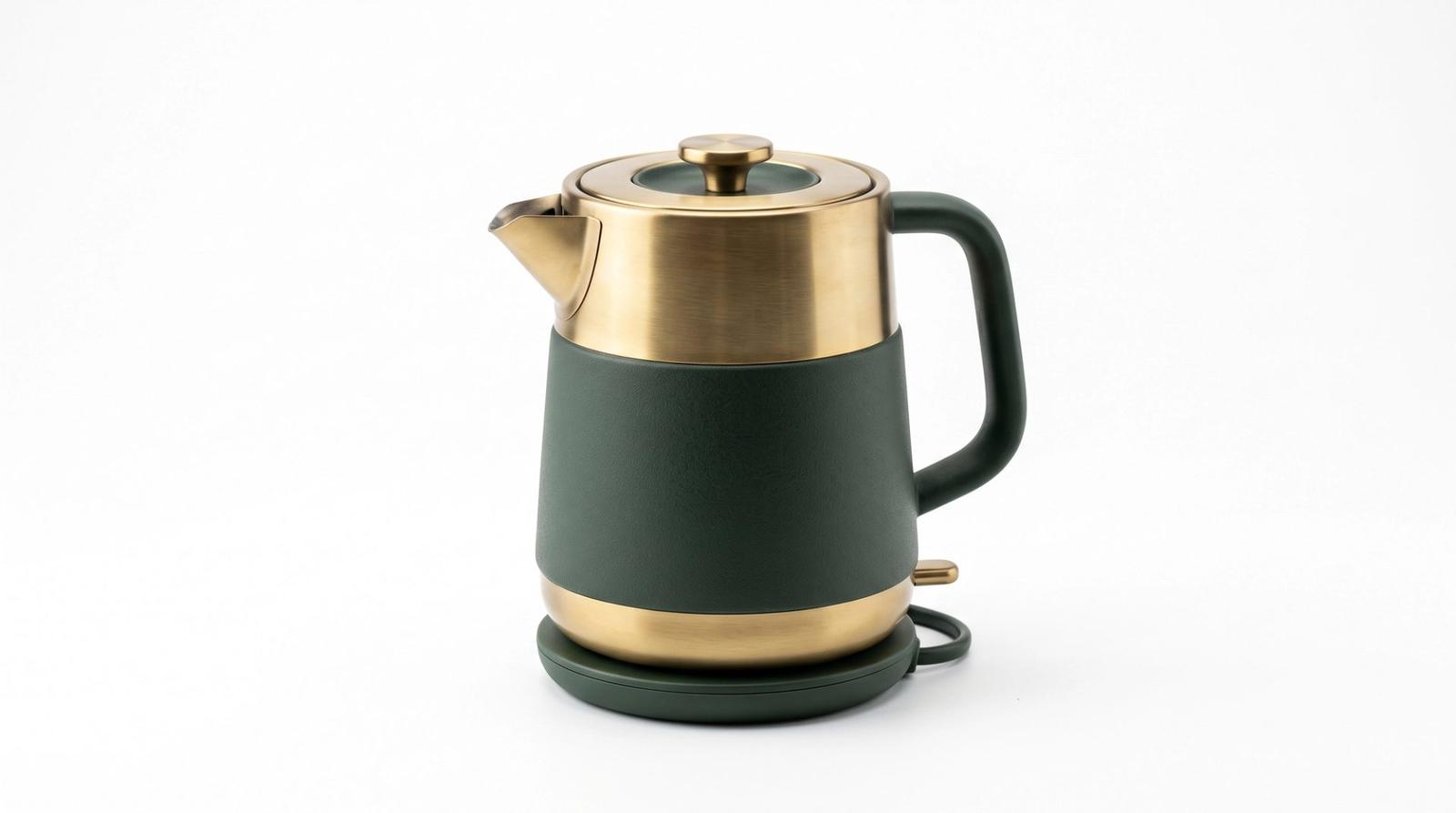
A product listing is not an art gallery. Every image has a job: prove what the product is, show how big it is, show it in use, and remove the last doubt before checkout. Most AI product photography fails because it chases a pretty frame instead of answering those four questions. Fix the brief and the conversion follows.
The Four Images Every Listing Needs
Before prompting anything, decide which of the four jobs the image is doing. Each has a different lighting and framing requirement, and mixing them produces a gallery that looks busy but answers nothing.
- Hero: clean background, product centered, no distractions. This is the thumbnail.
- Scale: the product beside a familiar object or in a hand, so size is obvious.
- Lifestyle: the product in the room or on the person it is made for.
- Detail: a macro crop of the material, stitching, texture or mechanism.
The Hero Shot Formula
Marketplace hero images follow strict conventions for a reason: a pure white or very light background, even lighting with no color cast, and a soft contact shadow so the product sits on a surface instead of floating. Specify all three or the model will invent a mood you did not ask for.
Commercial product photograph of [product with material and color], centered on a pure white seamless background, even softbox lighting from both sides with a subtle contact shadow beneath, accurate material reflections, no color cast, shot on a 100mm macro lens at f/8, tack-sharp edges, catalog quality, photorealistic, no watermark, no textLifestyle Without Losing the Product
Lifestyle shots sell the feeling, but the product must still be unmistakable. Name the product as the subject first, then the setting, and explicitly keep focus on the item. If you lead with the room, you will get a beautiful interior with your product lost on a shelf.
[product] as the clear subject in a [setting: sunlit kitchen counter / modern desk / bathroom shelf], natural window light from camera left, shallow depth of field keeping the product tack-sharp while the background softly blurs, one or two supporting props only, warm authentic styling, shot on a 50mm lens at f/2.8, photorealistic, believable contact shadowsScale Cues Prevent Returns
Returns are expensive and most of them come from size surprises. A hand holding the product, a coffee cup beside it, or the item on a standard shelf answers the question instantly. State the reference object and its relationship explicitly — 'held in an adult hand, fingers visible for scale' — rather than hoping the model infers proportion.
Keep the Set Consistent Across the Catalogue
A storefront reads as professional when every listing shares one lighting direction, one background tone and one color grade. Write those three as a fixed block and paste it into every product prompt, changing only the product description. Consistency is what makes twelve separate generations look like one shoot.
Fixed house style, reuse exactly: soft large softbox key from camera left, white bounce fill on the right, pure white seamless background, neutral color grade with accurate product color, subtle contact shadow, 100mm lens at f/8, catalog-quality commercial photography- Name the exact material and finish — brushed steel, matte silicone, oiled walnut — or textures turn generic.
- Ask for 'accurate product color' in every prompt; drifting color is the top cause of complaints.
- For anything with text or a logo, generate the background and reflections with AI and composite the real label.
- Square 1:1 for marketplace grids, 4:5 for social, and keep a 16:9 crop for the storefront banner.
Decide the job, lock the house style, name the material, and prove the scale. That sequence turns AI product photography from decoration into a listing that answers questions — which is what actually converts.