Camera Movement in AI Video: When to Push, Orbit, Crane or Lock Off
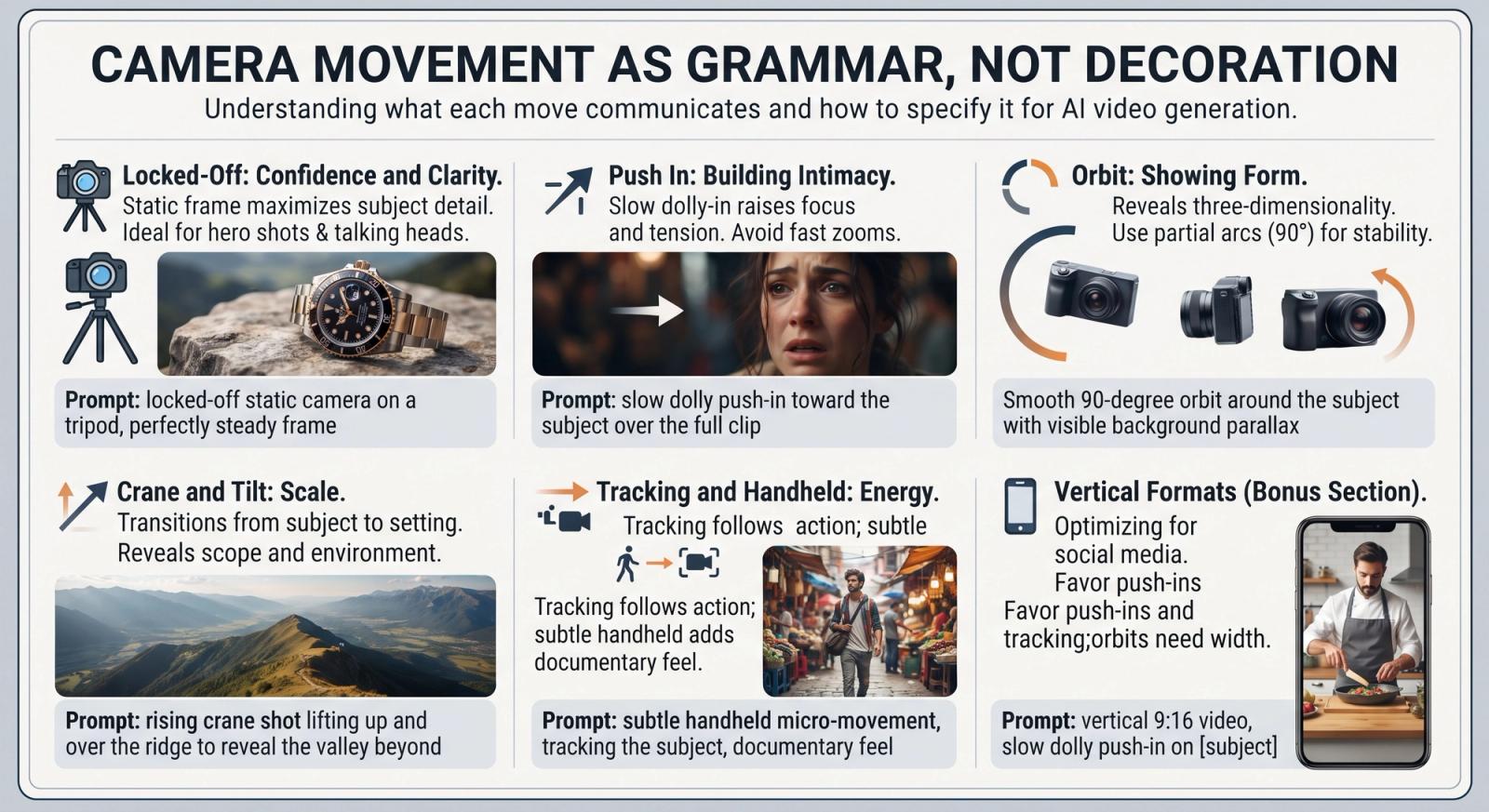
Camera movement is grammar, not decoration. A push-in means 'pay attention to this'. A pull-out means 'here is the bigger picture'. Choosing the wrong move is like ending a question with a full stop — the clip technically works, but it says the wrong thing. Here is what each move communicates and how to ask for it so the model actually delivers it.
Locked-Off: Confidence and Clarity
A static frame is the most underrated choice in AI video, and the most reliable: with no camera motion to reconstruct, models spend all their effort on the subject. Use it for product hero shots, talking-head style clips and anything with fine detail. Ask for 'locked-off static camera on a tripod, perfectly steady frame' — the redundancy is deliberate, because 'static' alone often drifts.
Push In: Building Intimacy
A slow dolly toward the subject raises tension and focus. It suits reveals, reaction moments and any product you want to feel precious. Keep it slow and short; a fast push reads as a zoom, and zooms read as amateur. 'Slow dolly push-in toward the subject over the full clip' gives the model both direction and duration.
Orbit: Showing Form
An arc around the subject shows three-dimensionality, which is why every product ad uses it. It is also the move most likely to break, because the model has to invent the far side of an object. Reduce the risk by asking for a partial arc — '90-degree orbit' rather than a full circle — and by specifying 'parallax in the background' so the environment moves correctly.
Orbit That Holds Together: A close-up shot of a leather watch on a stone surface. Camera: smooth 90-degree orbit around the watch with visible background parallax. Lighting: soft directional key from the left with a crisp specular highlight on the glass. Style: high-end commercial, warm neutral grade. Pacing: slow. 8-second clip, 16:9, 24fps, temporally consistent reflections. Avoid: warping the watch face, morphing the strap, flickering highlights.
Crane and Tilt: Scale
Rising above a scene turns a subject into a setting. Cranes suit establishing shots, landscapes, architecture and the end of a sequence — they feel like an exhale. Pair the move with what it reveals: 'rising crane shot lifting up and over the ridge to reveal the valley beyond' gives the model a destination rather than just a direction.
Tracking and Handheld: Energy
A tracking shot follows the action and keeps the subject the same size in frame, which reads as purposeful and modern. Handheld adds human imperfection, perfect for documentary and UGC-style content — but ask for 'subtle handheld micro-movement', because unqualified handheld often becomes a shake.
Social Reel, Handheld: A medium shot of a young creator unboxing a package at a sunny kitchen counter, hands lifting the product into frame. Camera: subtle handheld micro-movement, documentary feel. Lighting: bright natural window light. Style: authentic social-media native, vivid colour, shot on a phone. Pacing: energetic. Audio: upbeat modern music. 10-second clip, 9:16, 24fps, temporally consistent hands and product. Avoid: warping fingers, morphing packaging, flickering exposure.
- One move per clip. If you need two, you need two clips.
- Match the move to the subject's own motion: track a walker, lock off a still life.
- Slow beats fast in AI video — fast movement multiplies temporal artefacts.
- Vertical formats favour push-ins and tracking; orbits need width to read.
Pick the move for what it says, then describe it with speed, distance and what it reveals. The clip will not just move — it will mean something.