Prompting Realistic Skin Tones in AI Portraits
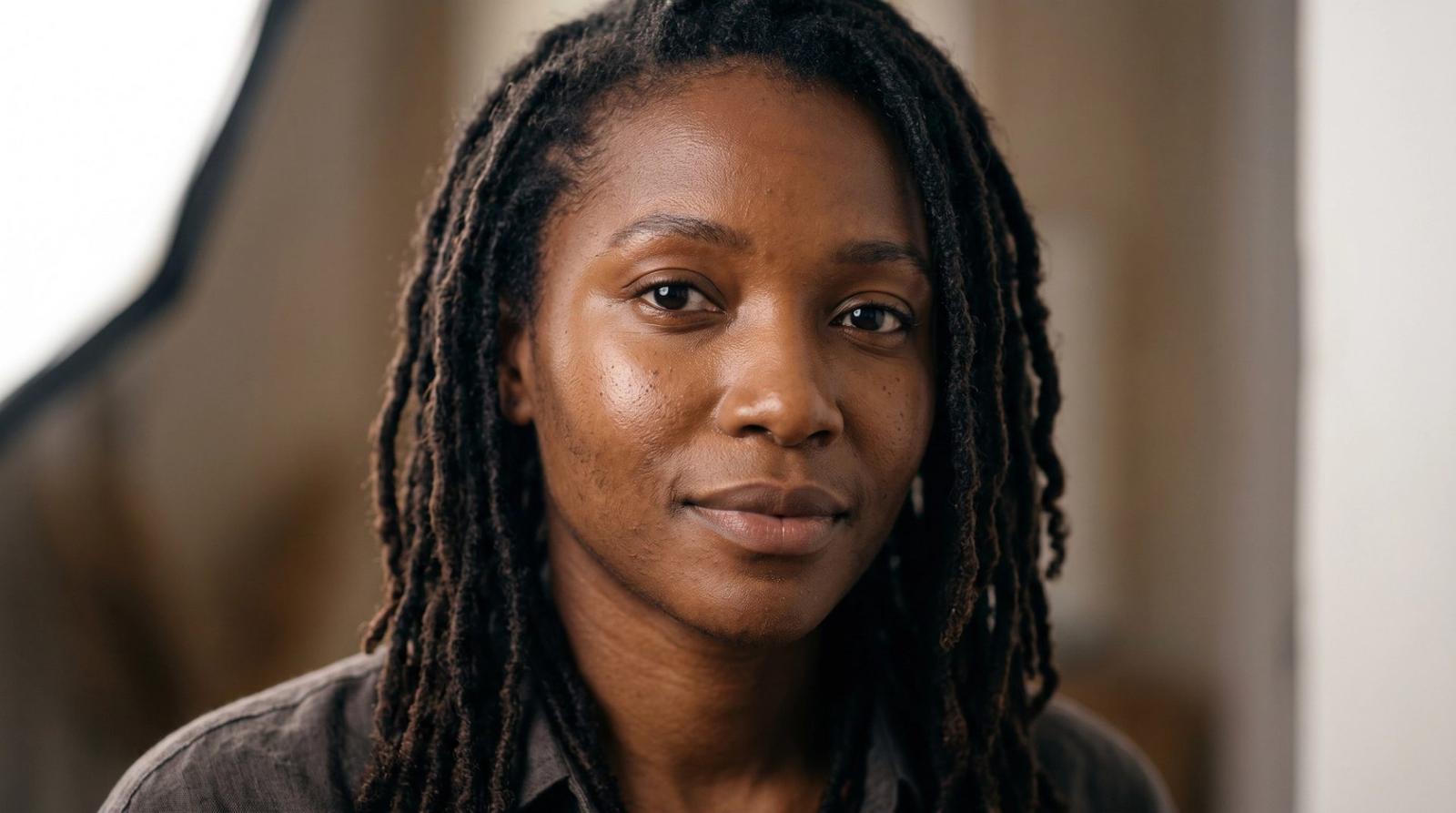
Ask most image models for 'a person' and you get a narrow, airbrushed average. Ask for a specific person, lit in a specific way, and the result becomes both more accurate and more human. Skin is where that difference shows first, because viewers read skin faster than any other surface in a frame.
Describe Tone, Undertone and Texture Separately
Three properties control believable skin. Tone is how light or deep it is; undertone is the warmth beneath it — golden, olive, neutral, cool; texture is the surface itself, pores, fine hairs, natural variation. Most prompts mention none of them, so the model falls back to its average.
- Tone: 'deep brown skin', 'light olive skin', 'medium tan skin' — plain and specific.
- Undertone: 'warm golden undertones', 'cool undertones', 'neutral undertones'.
- Texture: 'visible pores, fine peach fuzz, natural tonal variation'.
- Finish: 'natural sheen on the cheekbones, matte forehead' beats 'glowing'.
deep brown skin with warm golden undertones, visible pore texture and fine facial hair, natural tonal variation across the face, soft specular sheen on the cheekbones, no beauty smoothing, no plastic sheen, no skin lightening, realistic subsurface scatteringLight Decides Whether Skin Reads True
Deep skin tones need enough exposure and a visible key, or detail disappears into shadow. Light skin blows out quickly under hard sources. Say where the light comes from and how soft it is, and ask for exposure that protects the subject: 'exposed for the subject's skin, detail retained in shadows and highlights' is a sentence photographers use and models understand.
Portrait of a [subject] with [skin block], large softbox key from camera left at 45 degrees with a white bounce fill, exposed for the subject's skin with detail retained in both shadows and highlights, crisp catchlights in the eyes, 85mm lens at f/2, natural color, fine grain, photorealisticWhat to Forbid
Models trained on retouched imagery drift toward smoothing, lightening and symmetry. Name those tendencies directly in the prompt — 'no skin smoothing, no lightening, no reshaping of features' — and the drift largely stops. This matters most when you are generating a set meant to represent real, varied people.
- Keep the same skin block across a series so one person stays one person.
- Avoid food metaphors for skin tone; plain descriptors render more reliably.
- Add 'natural under-eye shadow' and 'slight asymmetry' for believable faces.
- Check the hands and ears — they often reveal color drift before the face does.
Describe tone, undertone and texture, light for the subject, and forbid the smoothing. The result is a portrait that looks like someone rather than something.